Calendar Year View
Calendar Year View
Click on the Calendar Button in the Sidebar to the left of any View Screen. Then click on the word Year at the top of the Screen
Overview
The Year View gives you a bird's eye view of when events are scheduled. Any day that's bold has some event scheduled, depending on the Display Options you have selected.
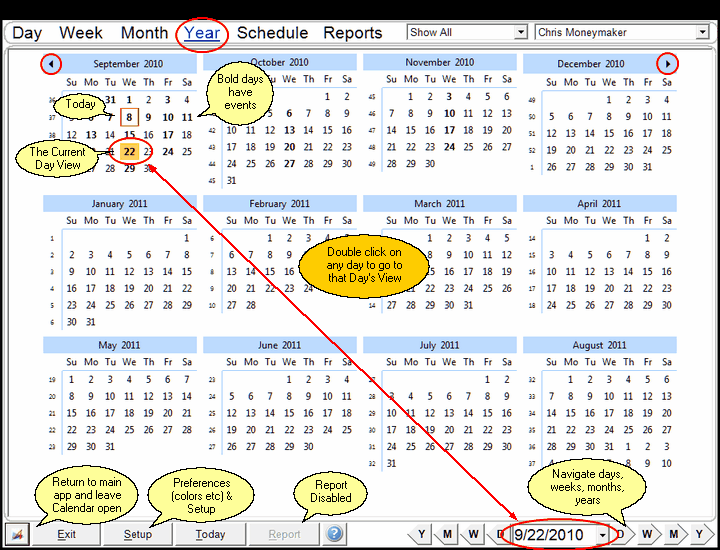
Calendar Year View
You can also quickly navigate to a day by double clicking on that day.
The Year View always starts with the current month and displays the next 12 months.
See Also
Setting Up Your Calendar Options
Completing Multiple Events At The Same Time
Transferring Multiple Events At The Same Time
Deleting Multiple Events At The Same Time
|
|
This is the fastest way to navigate several months forward or backwards. |
