Combine Accounts Wizard Step 4
- Navigation: INVESTMENT MANAGEMENT > Investment Utilities:
Combine Accounts Wizard Step 4
This is Step 4 of the Wizard. On the Investment Sidebar Menu, Click on Utilities | Account | Combine Accounts.
Overview
This final screen is a confirmation screen and a warning about combining accounts with the same security in both accounts.
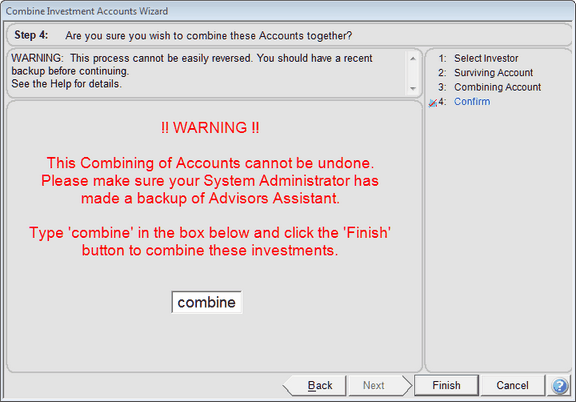
Type the word "combine" into the space as shown to confirm that you really want to combine the accounts. Then click the Finish Button.
See Also
Combining Accounts - Asset Combining
Producers And Surviving Account
Managers And Surviving Account
|
|
There should be a recent backup before typing combine. |
