Add User Wizard Step 6
Navigation: User Setup & Registration > Add User Wizard:
Add User Wizard Step 6
After confirming which users will have access to a Producer's contacts or after clicking Next on Step 5.
In an Enterprise or Multi-producer system, a user must have access to one or more Producers' contacts. This step lets you assign producer access to the users. In a regular network system, all users automatically have access to all contacts in the database.
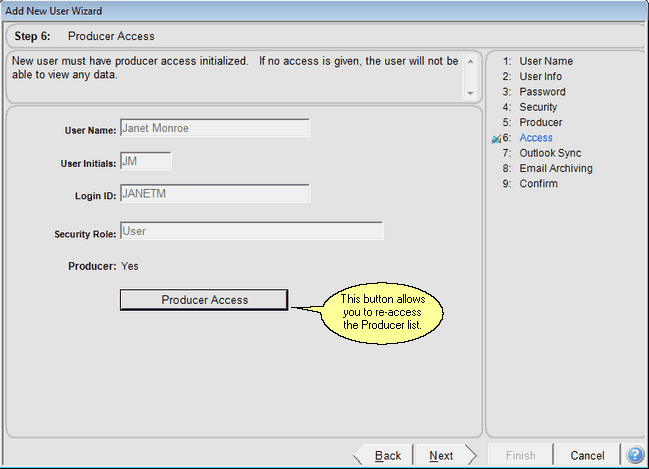
This screen appears after you select the Producer Access
A producer always has access to their own contacts. This screen is used in Enterprise and Multi-producer systems to give users access to other producer's data.
Access is based on the name of the Primary Producer in the contact record.
Producer Access Button
Click on the Producer Access Buttton to revisit the Producer Access Screen.
See Also
Add User Wizard Step 9 Confirm All
Add User Wizard Step 8 Email Archive Preferences
Add User Wizard Step 7 Calendar And Email Sycn
Add User Wizard Step 5 Producer Information
Add User Wizard Step 4 Security Roles And Access Rights
Add User Wizard Step 3 User Password
Add User Wizard Step 2 User Login
Add User Wizard Step 1 User Name To Set Up
|
|
This screen is for Multi-producer and Enterprise Systems only. |
