Confirm Selected Users
- Navigation: User Setup & Registration > Add User Wizard > Add User Wizard Step 5:
Confirm Selected Users
From Step 5 of the Add New User Wizard, this is the second step in the Wizard that allows other users to see the producer's contacts.
If the list of users with access is not correct, click the Back Button.
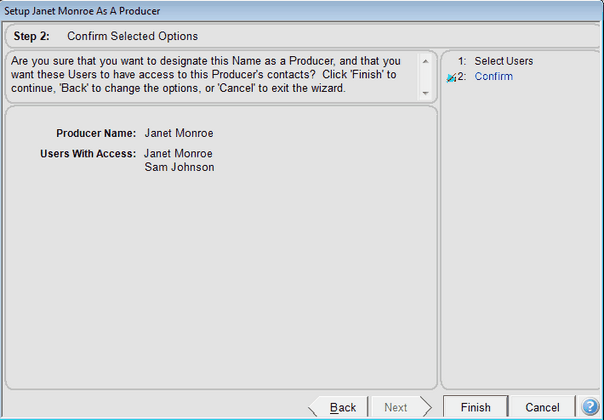
This screen is only active for Enterprise and Multi-producer systems.
Click Finish if the list is correct.